Documentation
Getting Started
Installation and Access
Network Configuration
Verification and Maintenance
Wiring, Power-On, and Indicator Lights
Wire the gateway for the mode you chose, then power it on. About 10 minutes. Cut the power before you wire.
Wiring for bridge and secondary router modes
With the power off, connect the gateway WAN port to the optical modem LAN port with an Ethernet cable. Connect the gateway LAN port to the site's switch or to your setup computer.
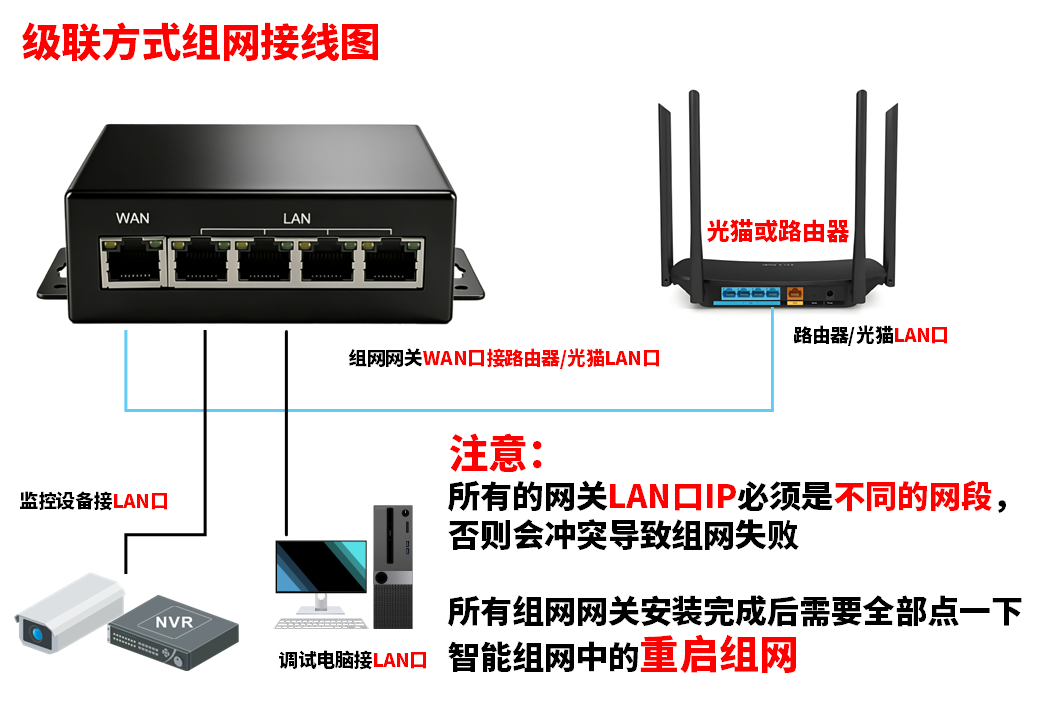
Figure: wiring for bridge and secondary router modes; the cable runs from the gateway WAN port to the modem LAN port.
Wiring for bypass router mode
Connect the gateway LAN port to a LAN port of the existing router or switch with an Ethernet cable. Leave the WAN port unconnected.
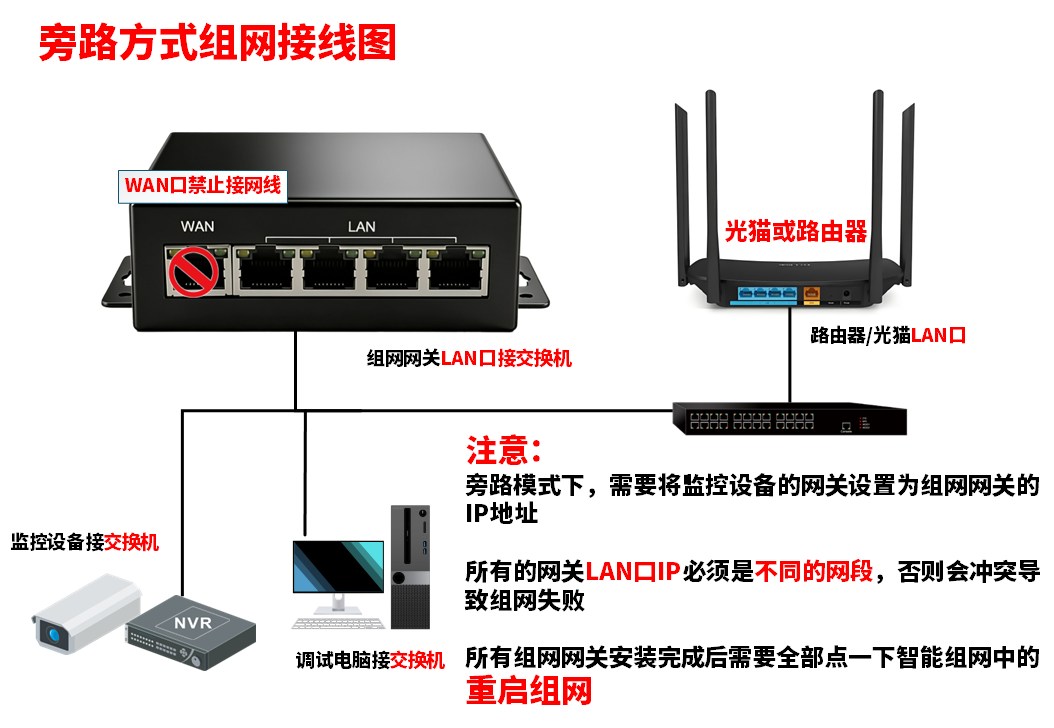
Figure: wiring for bypass router mode; only the gateway LAN port is used.
Power on
Connect the power adapter last. Pending: how long it takes from power-on to a reachable admin page (to be filled in by the content provider).
Check the lights after wiring
| Where to look | What you should see | What it means |
|---|---|---|
| Power light | Steady on | Power is connected |
| Indicator of the port in use | On or blinking | The cable is seated and the peer is up |
| Matching LAN port light on the modem | On | The upstream line is up |
Pending: the number and colors of the indicator lights, and what steady and blinking each mean (to be filled in by the content provider).
The power light is steady on, the indicator of the port in use is on or blinking, and the matching modem port light is on.
In bypass router mode, plugging the cable into the WAN port is the most common wiring mistake. With the wrong port the admin page still opens, but site-to-site access does not work.
Next → Signing in to the gateway
Was this page helpful?A one-line note helps us make these steps more accurate.