Documentation
Getting Started
Installation and Access
Network Configuration
Verification and Maintenance
Configuring a Subnet Proxy: Make the Two Sites Actually Reach Each Other
This page decides whether the peer site can reach the internal devices at your site. It is where most people get stuck.
- The gateway is already a member device with the status 在线(Online).
- Each site's subnet is planned and no two repeat.
Steps
Step 1 — Open 编辑(Edit)on the device
In the 成员设备(Member devices) list, click 编辑(Edit) on the right of this gateway.
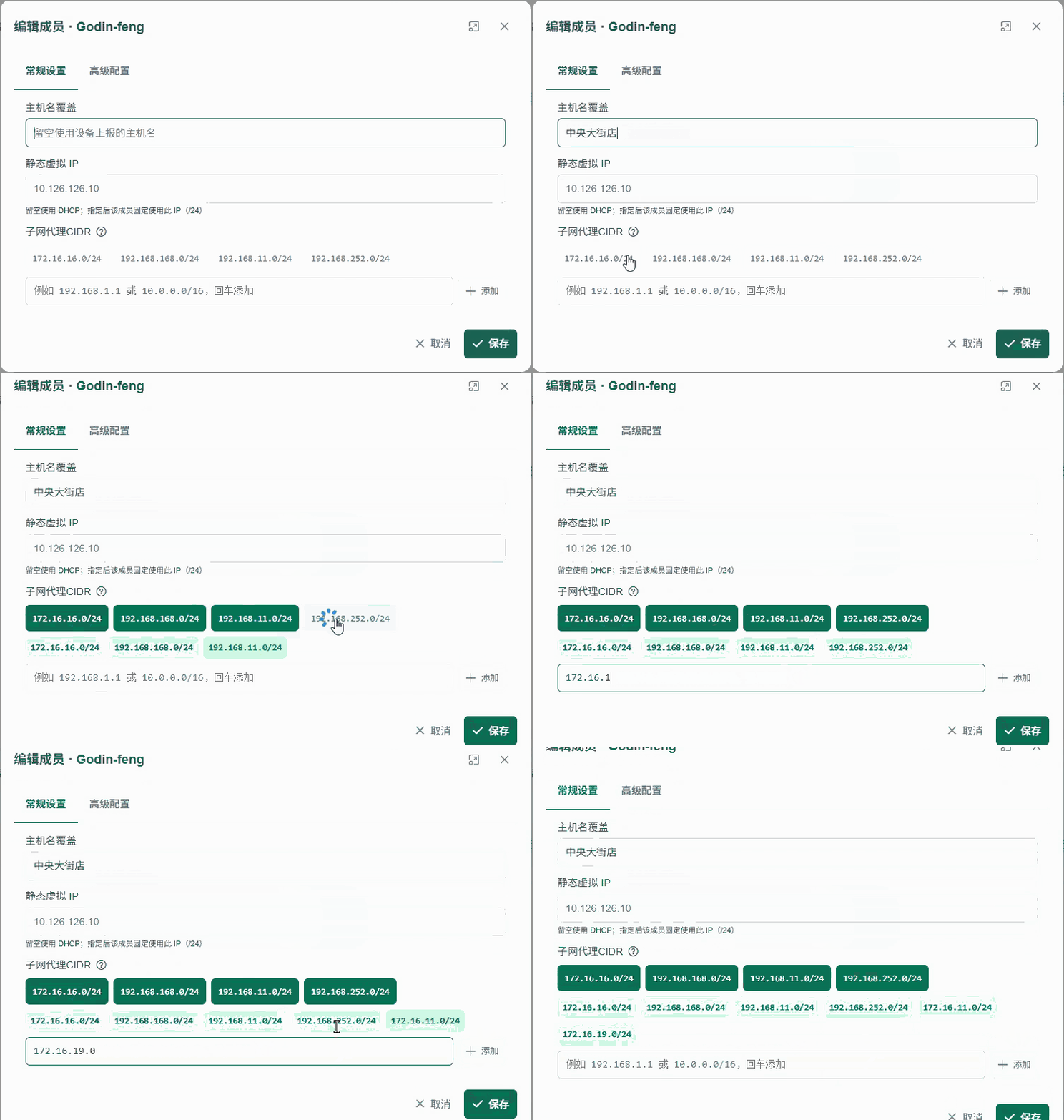
Step 2 — Fill in three items under 常规配置(General configuration)
| Option | What to enter |
|---|---|
| 主机名覆盖(Hostname override) | The site location name, for example Central Street store |
| 静态虚拟 IP(Static virtual IP) | Keep the default |
| 子网代理 CIDR(Subnet proxy CIDR) | The local site's LAN subnet, for example 192.168.2.0/24 |
You can pick the subnet proxy CIDR from the list or add it manually.
Step 3 — Save
After saving, leave the editor and return to the member device list.
Step 4 — Check the value shown
Open the device details again and confirm that the subnet proxy is the subnet you chose.
What to enter for the subnet proxy CIDR
| Scenario | What to enter |
|---|---|
The local site subnet is 192.168.2.x | 192.168.2.0/24 |
The local site subnet is 192.168.1.x | 192.168.1.0/24 |
| Do not enter | The peer site's subnet |
| Do not enter | 0.0.0.0/0, which pulls all traffic into the tunnel |
Subnets must not repeat between sites. The symptom of a repeat is: all devices online, but nothing reachable.
- The device details show the subnet you selected as the subnet proxy.
- The peer site can
pingthe internal device IP at this site.
What this step does
The subnet proxy advertises the local site's subnet into the virtual network.
Once advertised, the peer gateway knows where to forward traffic.
Without this step the two gateways reach each other, but the computers below them cannot see each other.
Next → Access control
Was this page helpful?A one-line note helps us make these steps more accurate.