Documentation
Getting Started
Installation and Access
Network Configuration
Verification and Maintenance
Adding the Gateway to a Network (Add Device)
This page selects gateways that are already online into the network as member devices.
- The network exists (the previous page is done).
- The gateway shows as online in the platform's 设备(Devices) list.
Steps
Step 1 — Click 添加设备(Add device)
Open the network management page and click 成员设备(Member devices).
Then click 添加设备(Add device).
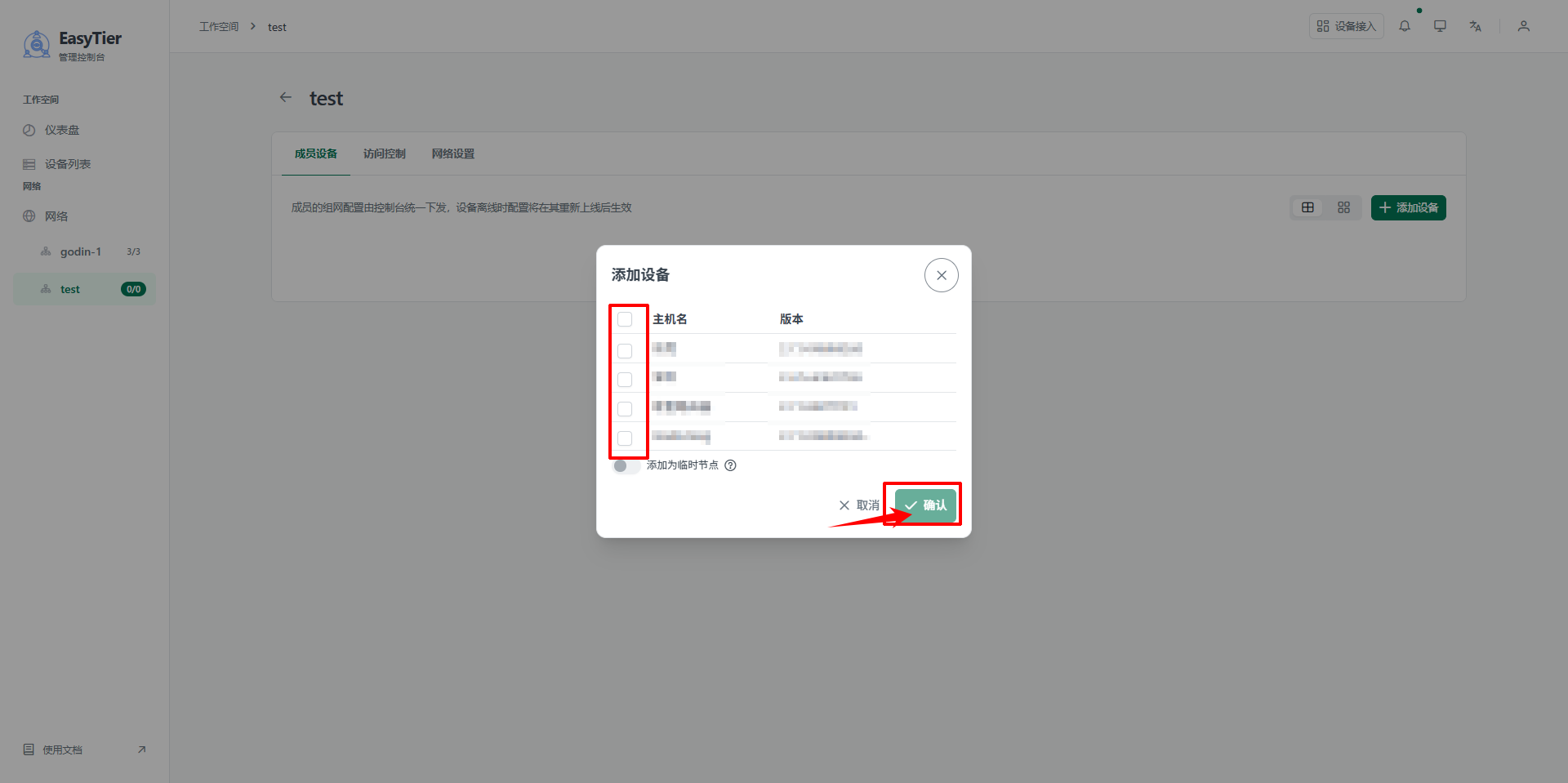
Step 2 — Select devices and confirm
In the dialog, select the gateways to add to this network.
Click 确认(Confirm).
Step 3 — Check the member device list
Confirm that the device names and statuses are correct.
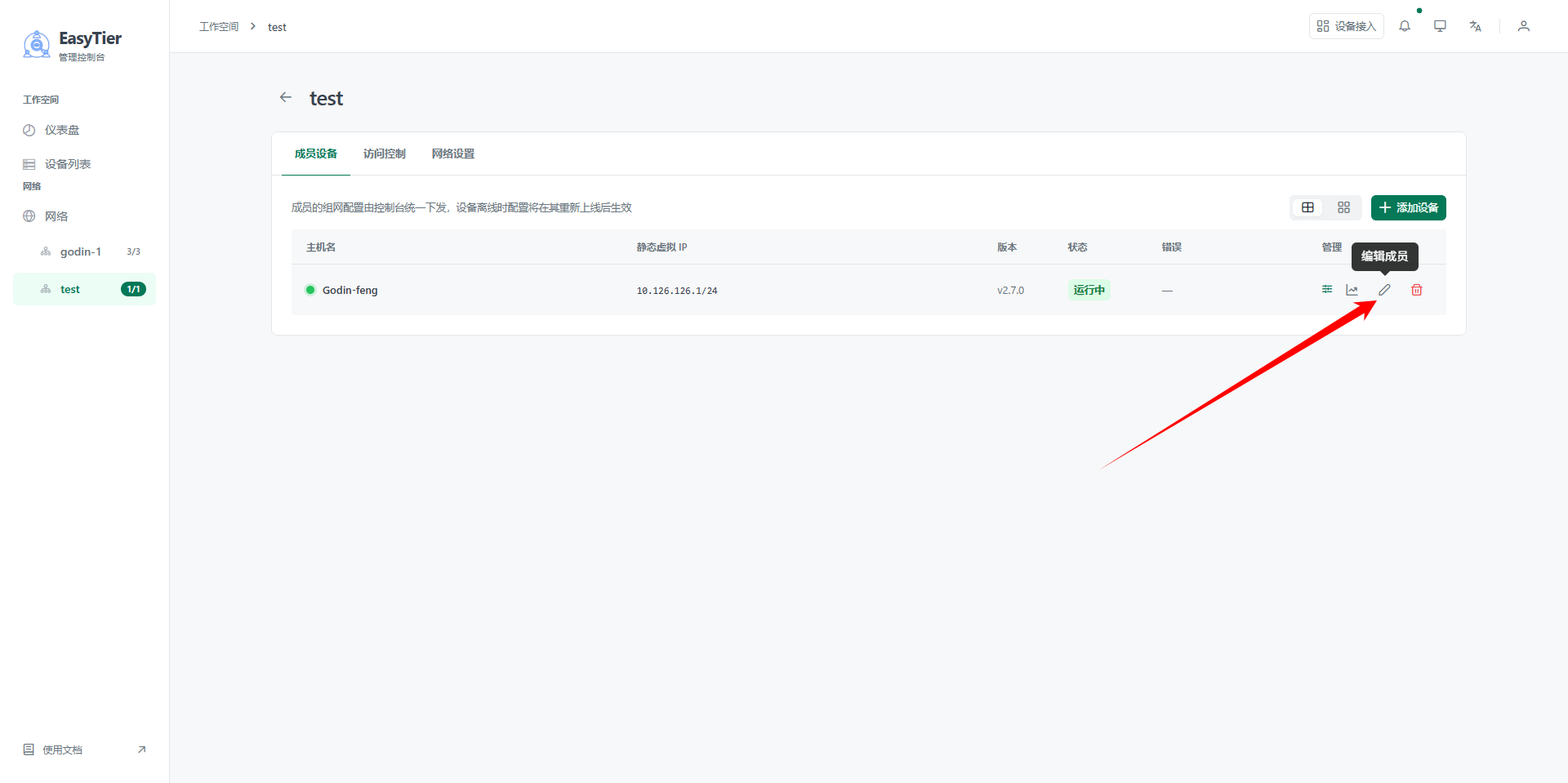
| Status | Meaning | Action |
|---|---|---|
| 在线(Online) | The platform and the gateway are connected | Continue with the subnet proxy |
| 离线(Offline) | The platform cannot reach the gateway | Go back to Connecting the gateway to the platform and check each item |
This step only puts the gateway on the virtual network. For the internal devices at the two sites to reach each other, you must also configure the subnet proxy. Skip the next step and the site shows "all devices online, but nothing is reachable".
- This gateway appears in the member device list.
- The status is 在线(Online).
Next → Configuring a subnet proxy
Was this page helpful?A one-line note helps us make these steps more accurate.