Documentation
Getting Started
Devices and Assets
Publishing and Display
Scenes and Patrol
Management and Settings
Troubleshooting and Support
Fly Screen Interaction
This feature currently only works on the 8K box, at 1080P resolution on the PC side.
- ① Publish a web page signal (see the steps for publishing a web page signal)
Click the web page signal to open the web page control bar, then click 远程控制(Remote Control) to enter the control screen.
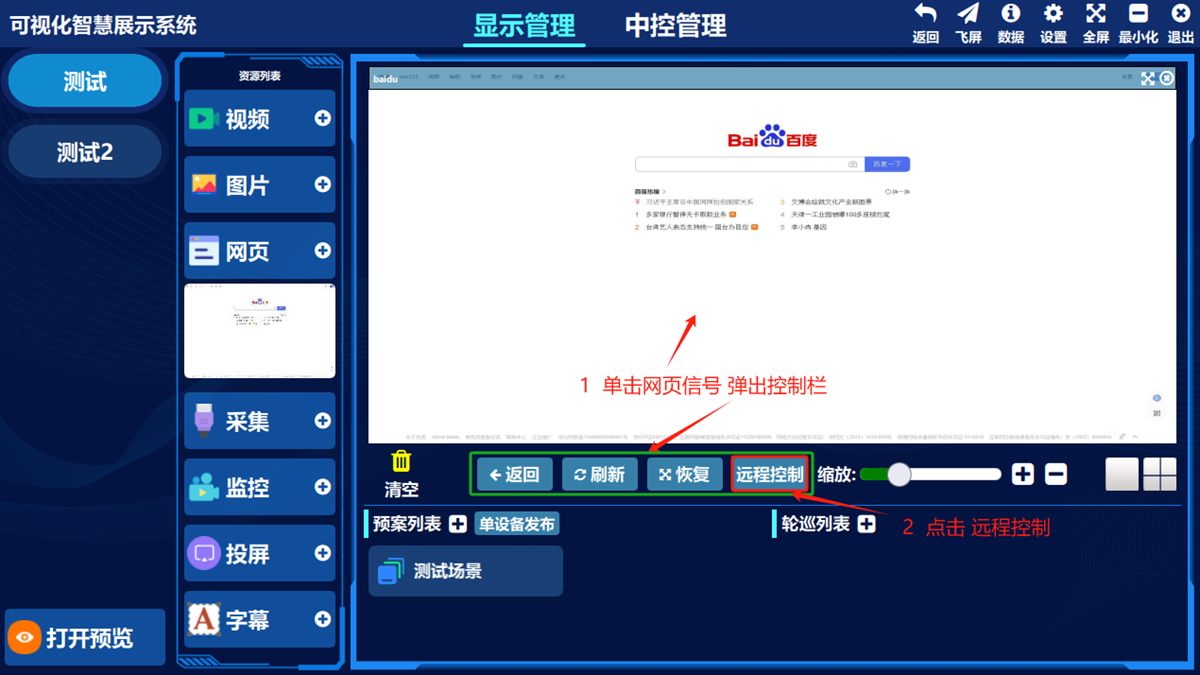
(Illustration) The web remote control screen:
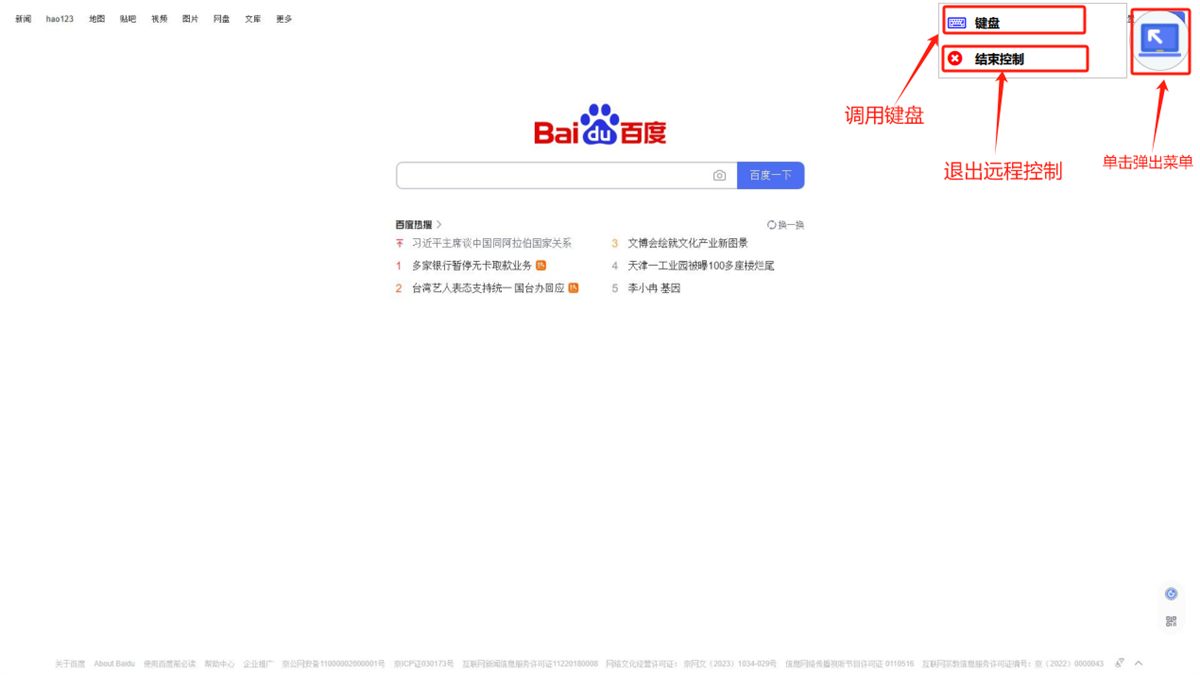
Click the button in the top-right corner and choose to open the keyboard or exit control in the pop-up menu.
Was this page helpful?A one-line note helps us make these steps more accurate.